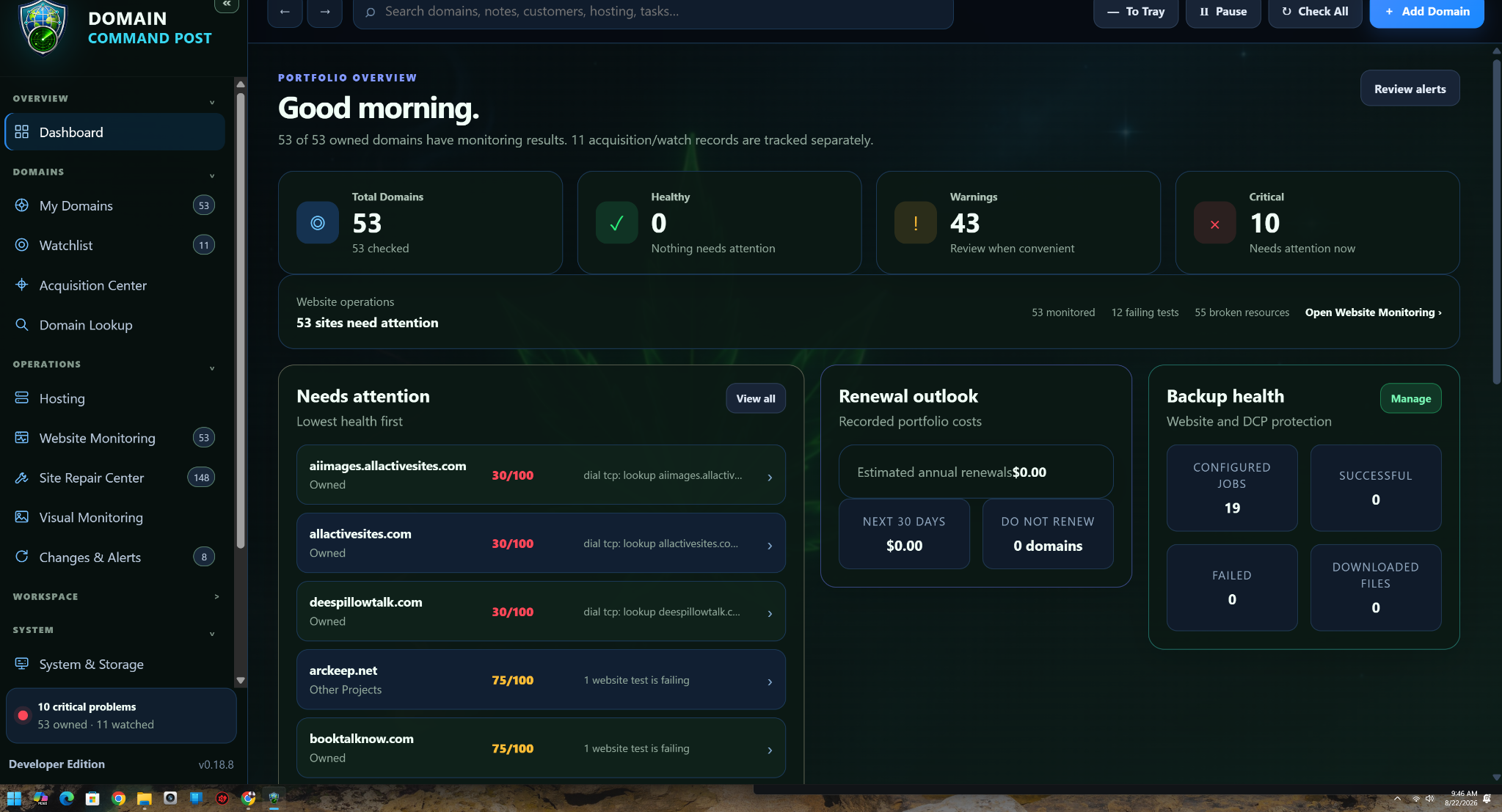
Current command dashboard
Portfolio health, warnings, critical items, renewal outlook and backup health in the full current navigation.
View full size → DOMAIN COMMAND POSTMonitor. Manage. Discover. Protect.
Current product feature set · 0.19.105
The website gallery uses current screenshots from the real Domain Command Post application. Availability depends on the edition and assigned profile.
Select any screenshot to open the original image at full size.
Portfolio health, warnings, critical items, renewal outlook and backup health in the full current navigation.
View full size →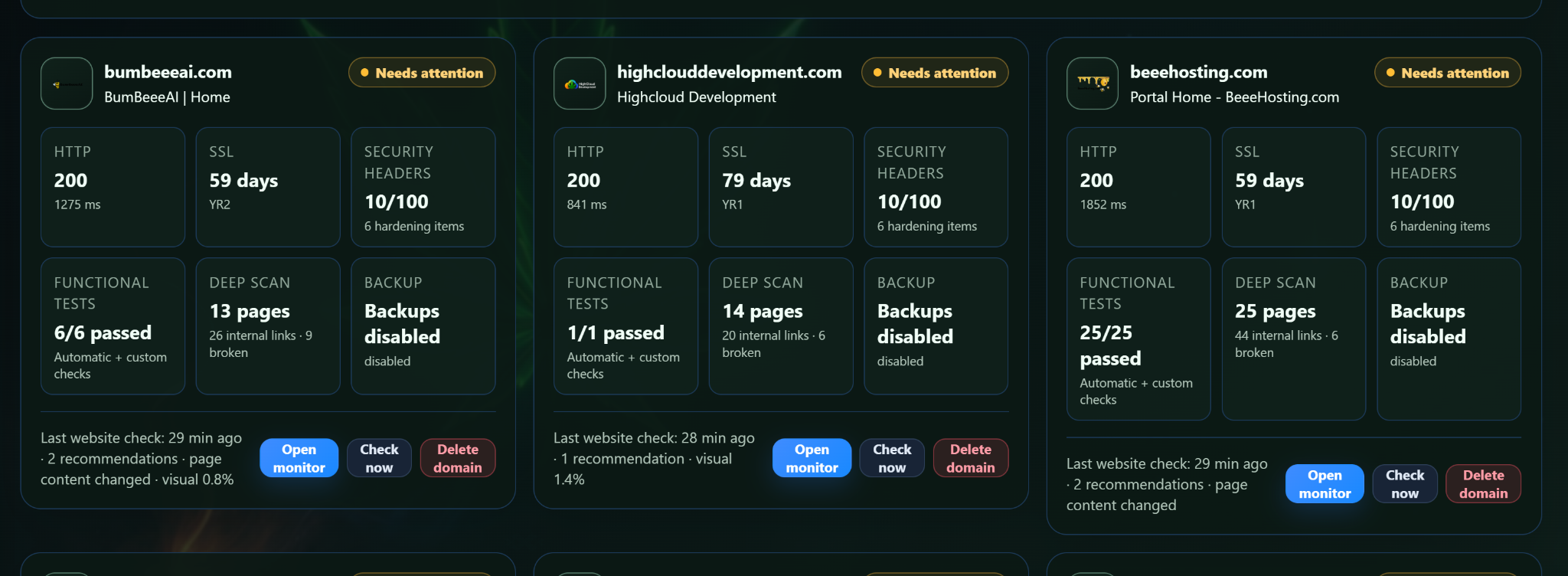
HTTP, SSL, security headers, functional tests, deep scans and backup state grouped by monitored website.
View full size →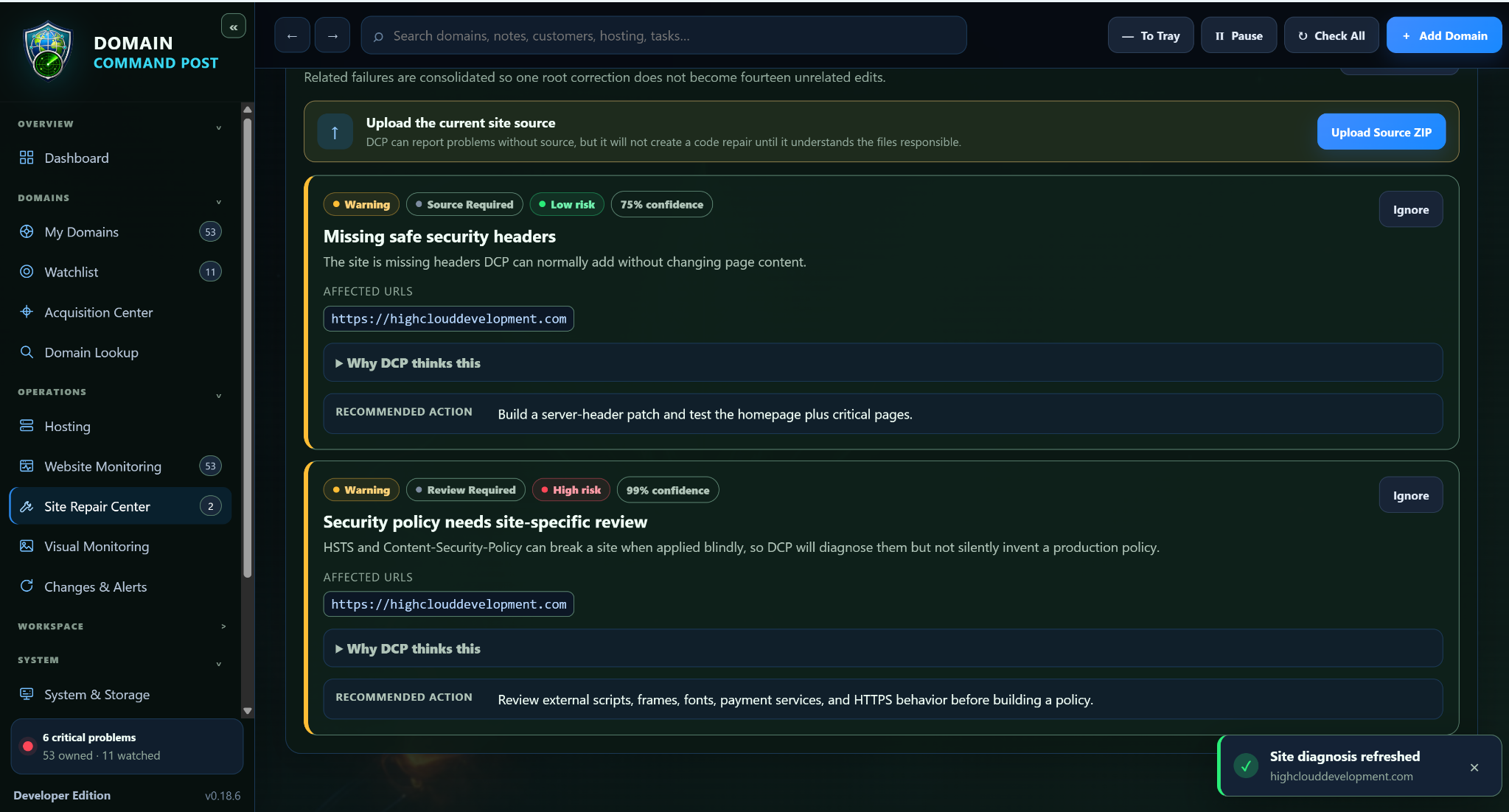
Repair incidents surface the affected site, confidence, risk and the next repair step instead of hiding everything behind a generic failure.
View full size →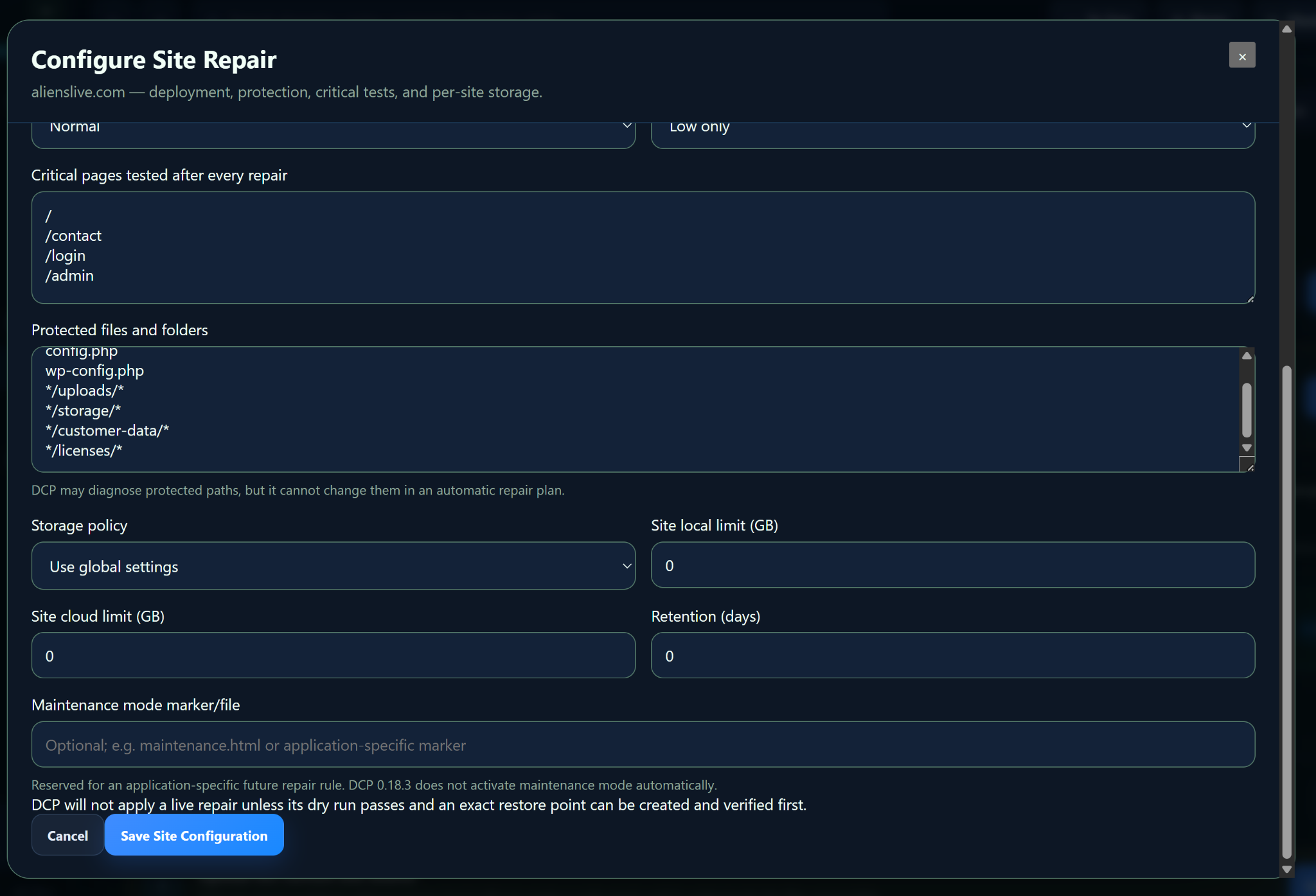
Critical pages, protected files, storage policy, local/cloud limits, retention and maintenance-mode settings for one site.
View full size →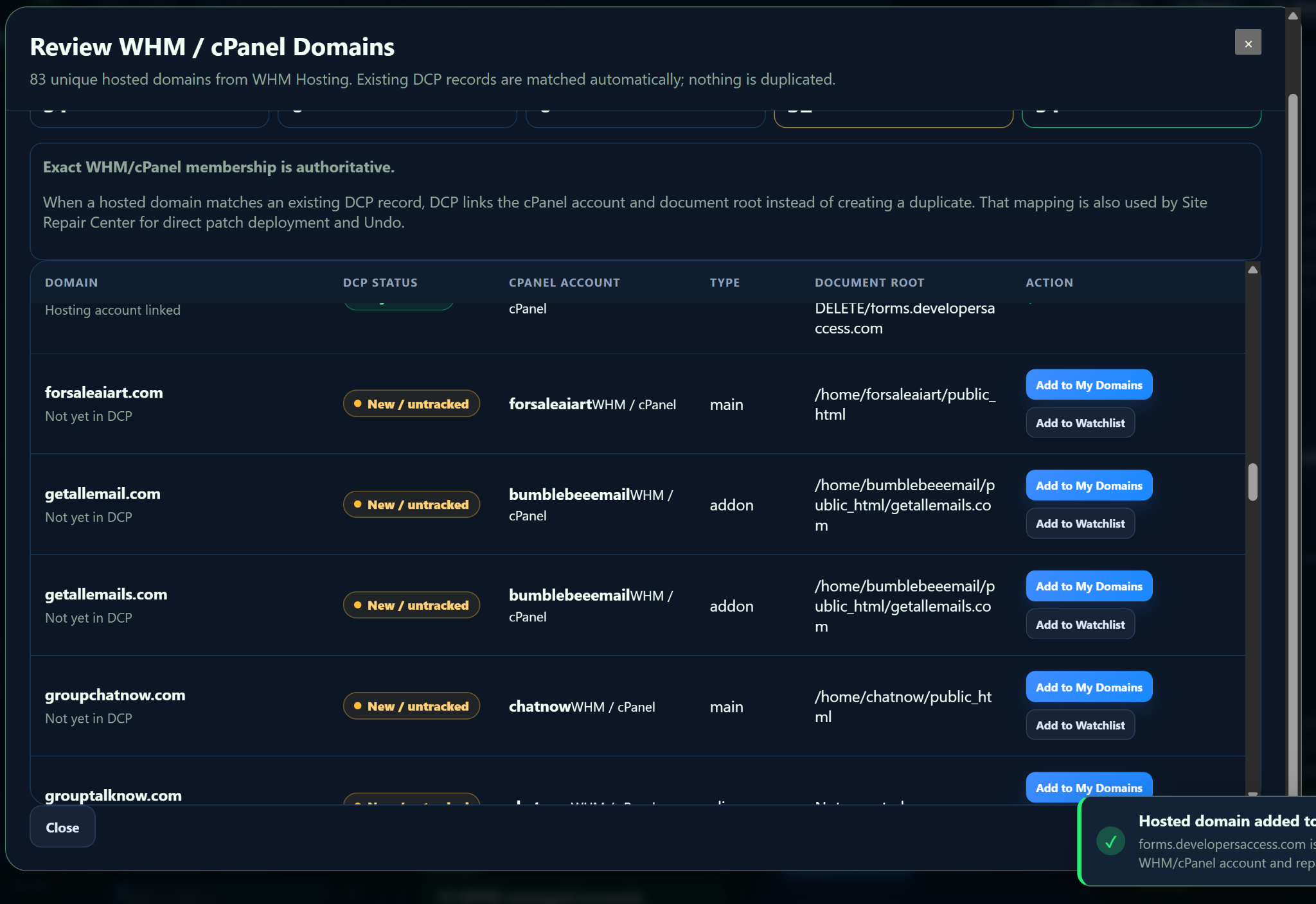
Review exact panel membership, cPanel account, domain type and document root before adding or linking hosted domains.
View full size →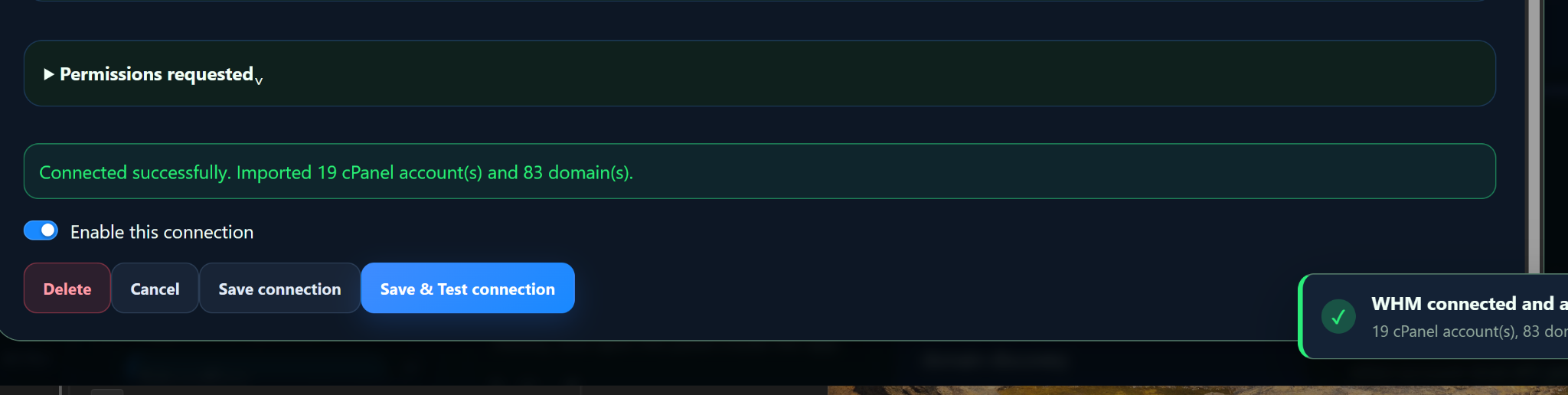
A successful WHM connection can import cPanel accounts and domain inventory while remaining separately enabled or disabled.
View full size →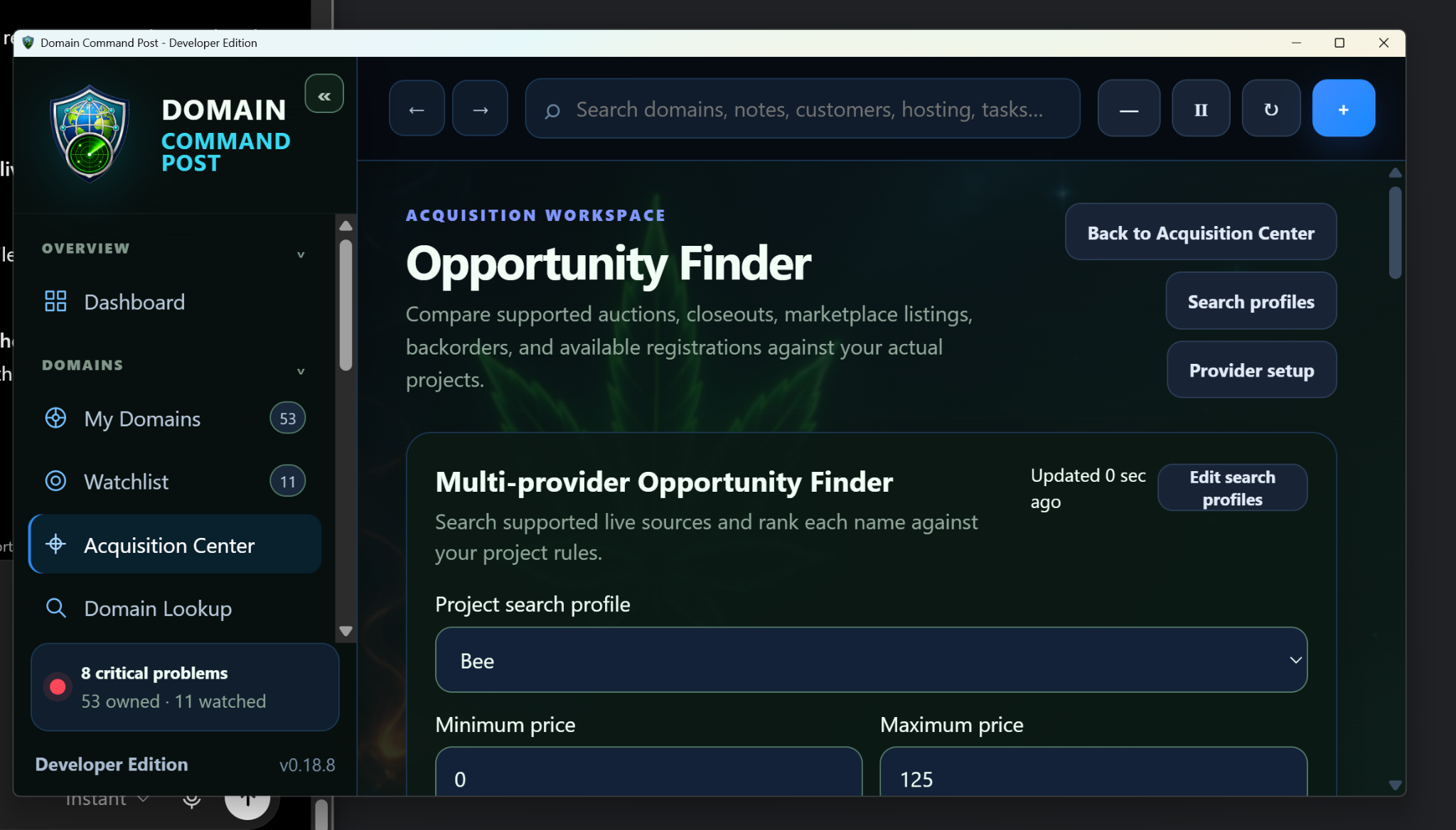
Saved project search profiles, budgets and provider controls for acquisition research without automatic spending.
View full size →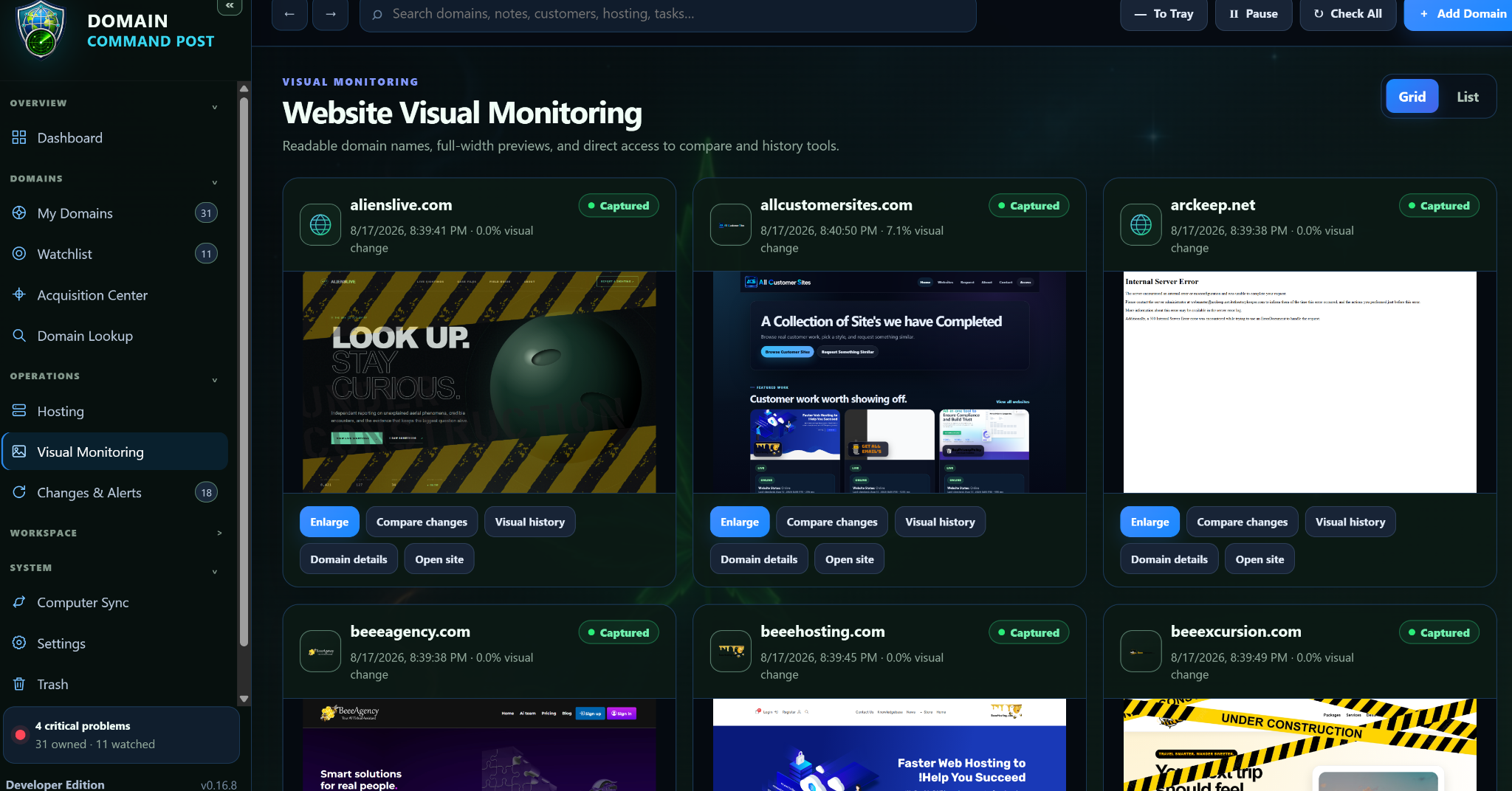
Current captures, change percentages, comparison tools, visual history and domain actions in one gallery.
View full size →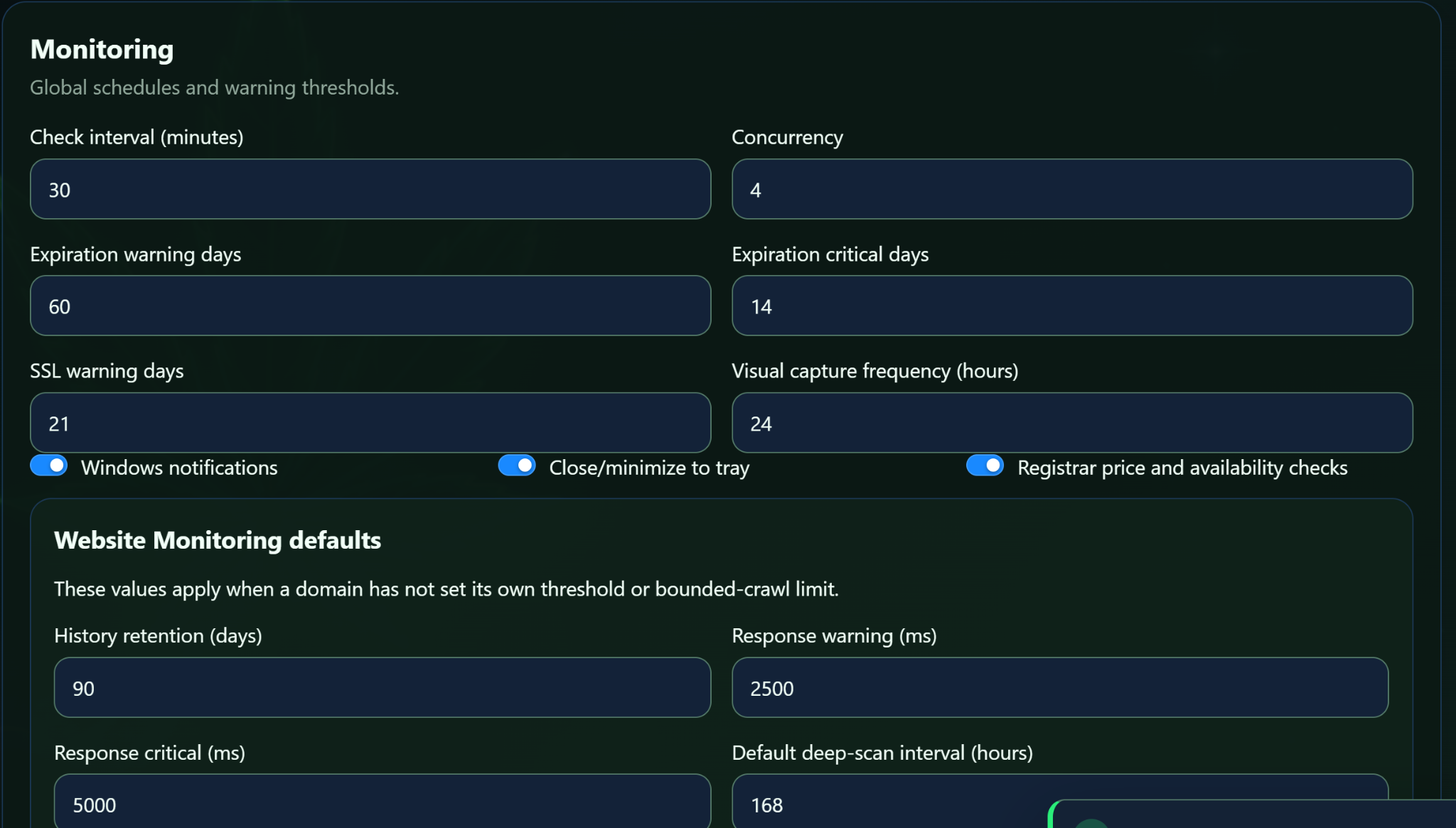
Global schedules, expiration/SSL thresholds, visual capture frequency and Website Monitoring defaults.
View full size →The current workflow can diagnose a site, analyze its source, prove the deployment destination through WHM/cPanel, require a dry run and verified restore point, upload only the changed files, validate the affected pages, and hold the repair in Testing until Keep Changes or Undo is chosen.
See what the current program does and where each workspace belongs.