CURRENT DOMAIN OPERATIONS & SITE RECOVERY FOR WINDOWS

Monitor it.Prove it. Repair it.

Put domains, websites, SSL, DNS, screenshots, hosting accounts, backups, acquisition research and controlled website recovery into one command center—with evidence behind every warning and restore protection before live repair.

Local-first Windows softwareWHM / cPanel awareNo backup, no live repair
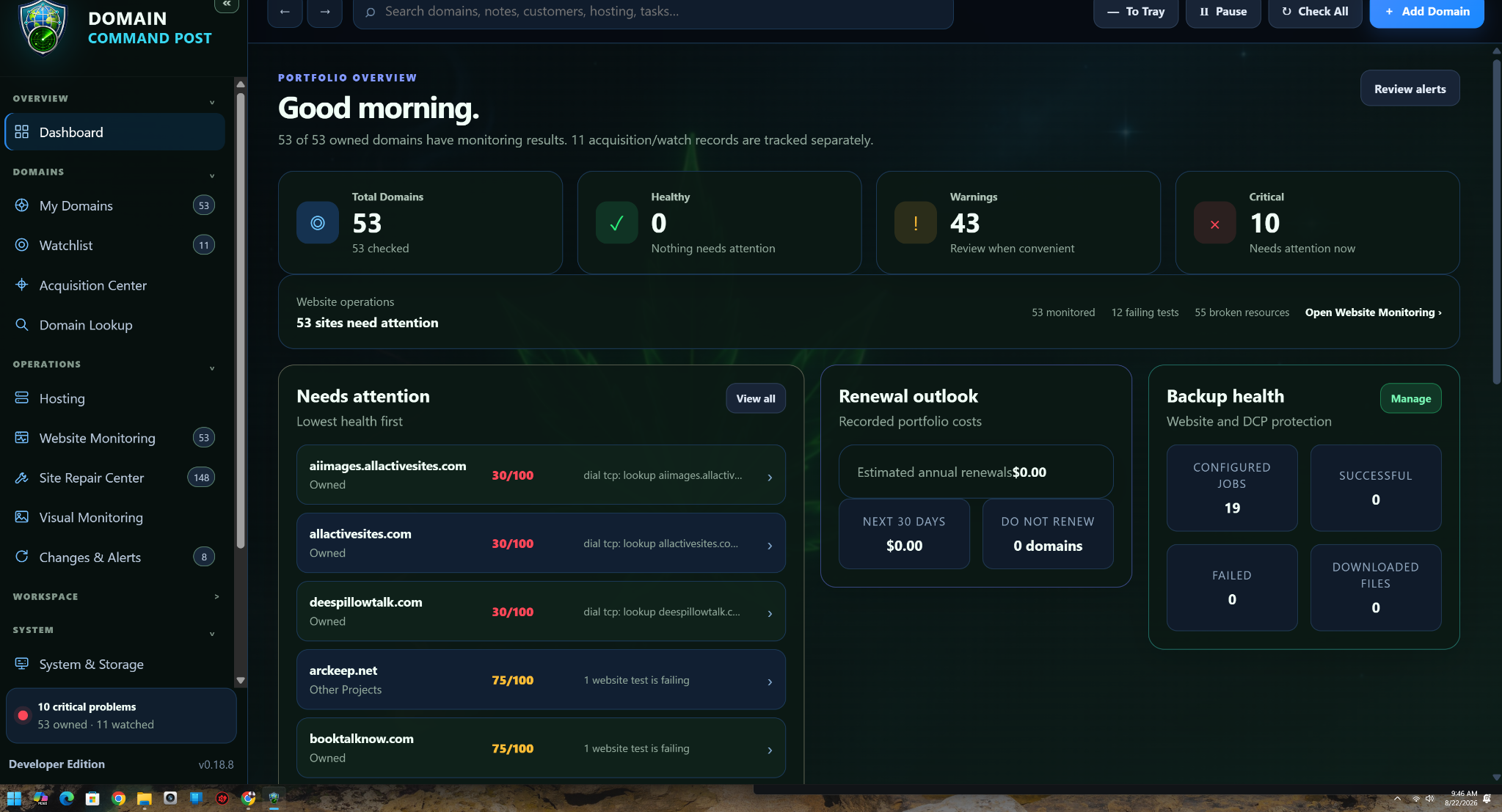
Domain Command Post — current dashboard
Current Domain Command Post dashboard showing domain health, renewals and backup status
CURRENT PRODUCT FEATURE SETBuild 0.19.105Managed Sync • Site Repair • Agent • Storage & Cleanup
0.19.105Current product feature set represented on this website
5 + CustomPublic website themes; application-only themes stay in the app
Restore firstVerified restore point required before a live Site Repair
0 auto-buysAcquisition research hands off to a person before money moves
PORTFOLIO Expiration & renewal WEBSITES HTTP · SSL · Security RECOVERY Site Repair · Restore · Undo HOSTING WHM & cPanel RESEARCH Opportunity Finder PROTECTION Backups · Storage · Reputation  PORTFOLIO Expiration & renewal WEBSITES HTTP · SSL · Security RECOVERY Site Repair · Restore · Undo HOSTING WHM & cPanel
THE CURRENT PRODUCT

Domain monitoring grew into an operations platform.

The current build does more than tell you a site is down. It can reconcile hosting, identify what failed, preserve the current live files, build a surgical repair and keep Undo available while you test.

Complete feature map
◎

Portfolio health that explains itself

Owned domains show registration, website, HTTP, SSL, DNS, hosting and backup context with the reason behind the score.

  • Current health without chopped-up score text
  • Renewal and lifecycle attention with real context
  • Connected hosting/server facts when available
◫

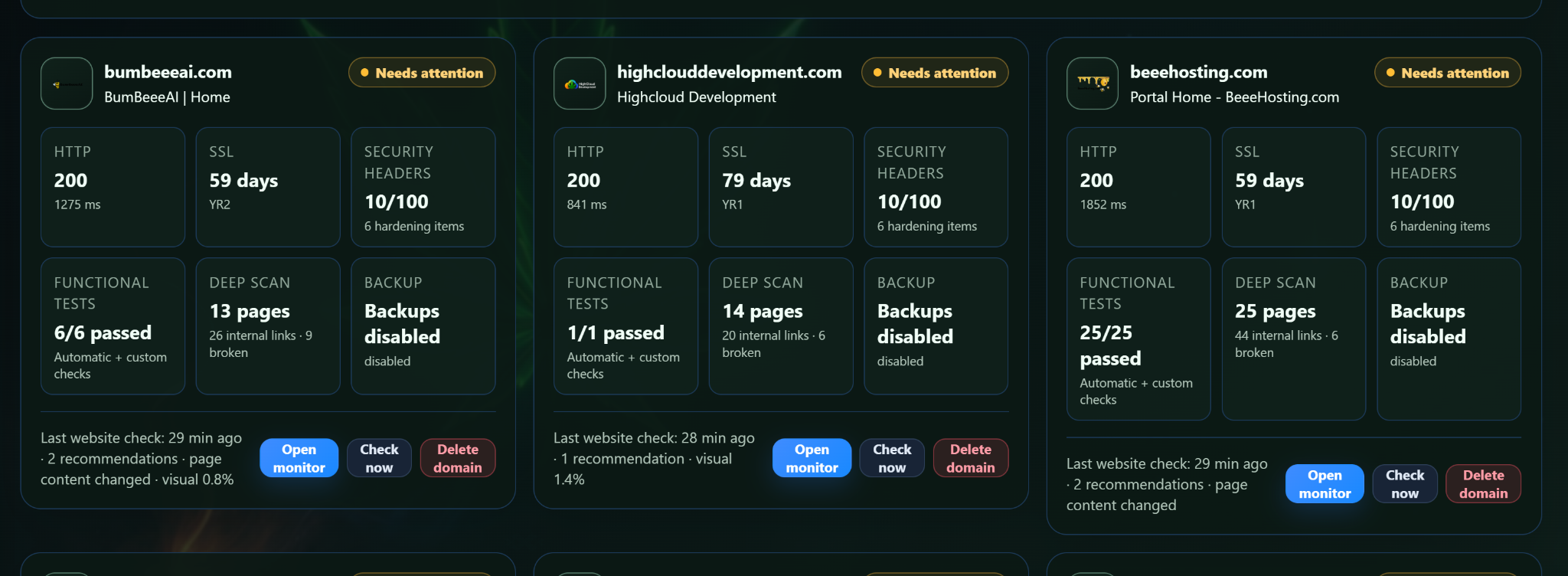
Website Monitoring

HTTP, SSL, security headers, functional tests, deep scan results and backup state live together instead of being scattered across tools.

🛠

Site Repair with mandatory recovery

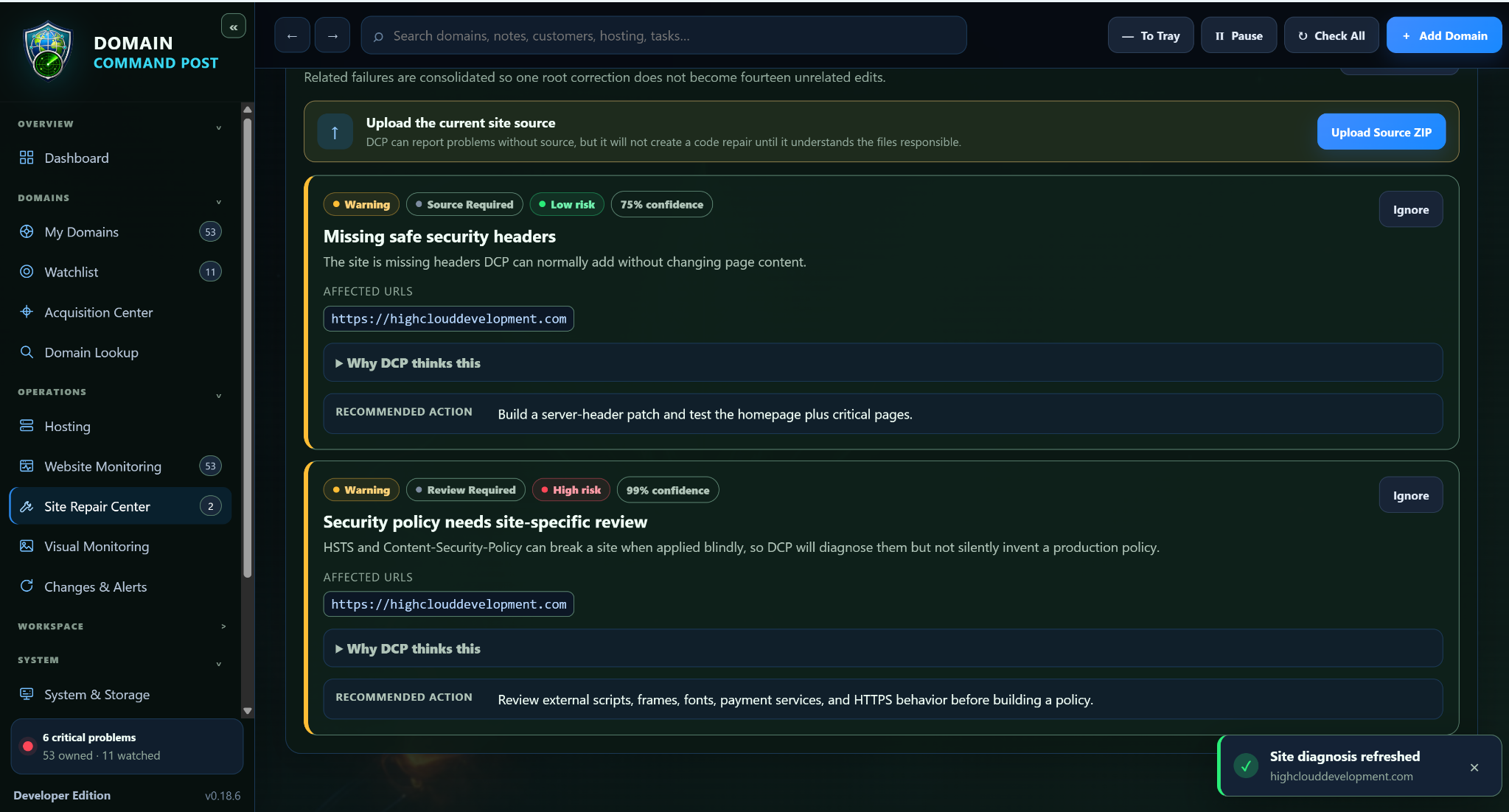
Analyze current source, group related failures, build a repair plan and use direct WHM/cPanel deployment only after the destination is proven.

  • Dry Run required
  • Live-source drift protection
  • Verified pre-repair Restore Point
  • Surgical changed-file upload
  • Post-repair validation
  • Automatic rollback on configured validation failure
  • Keep Changes or Undo Repair
▦

WHM / cPanel reconciliation

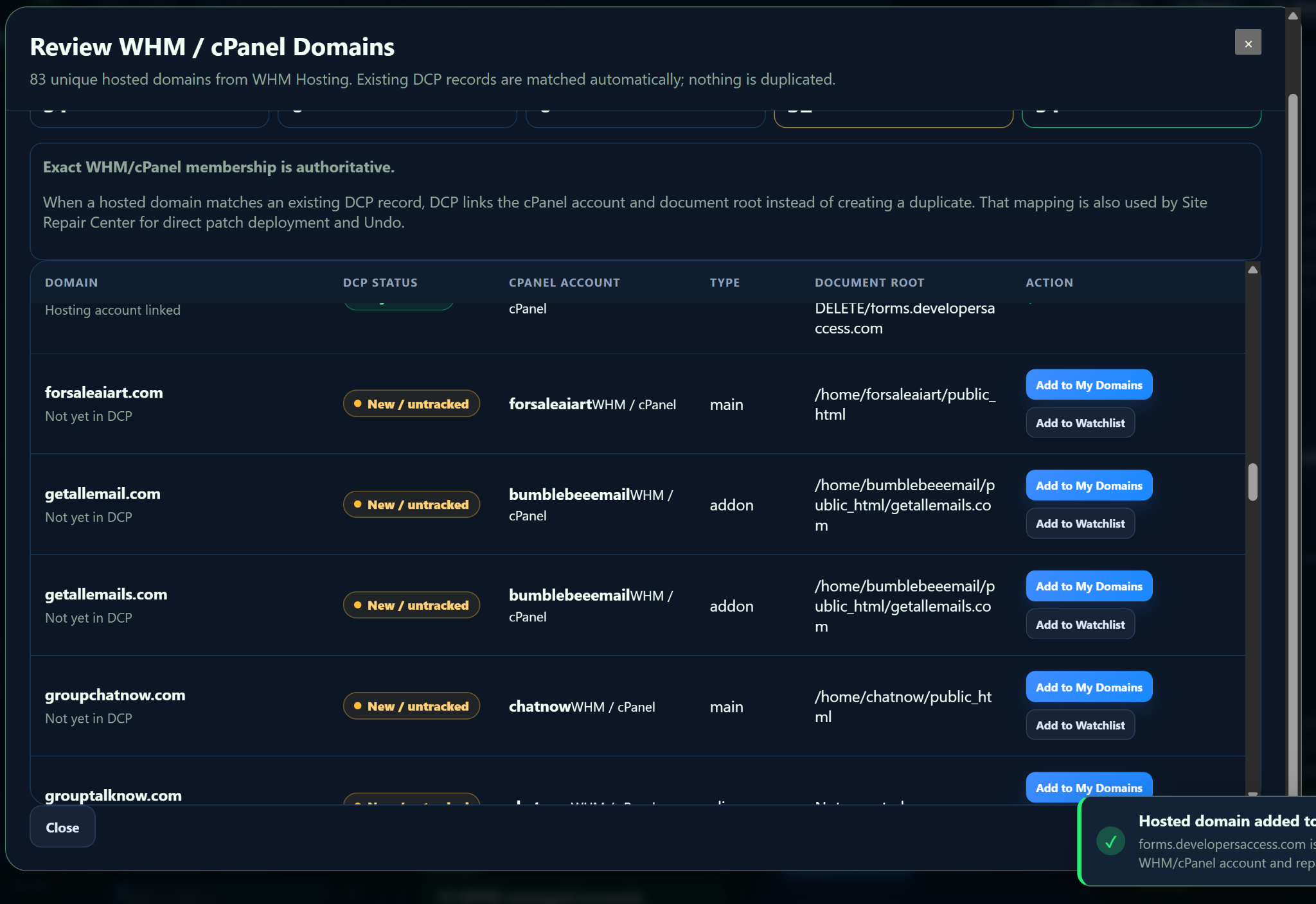
Review hosted domains in bulk and retain exact account, cPanel user, domain type and document-root mapping where the panel supplies it.

🛡

Security & reputation

Final-response security header scanning plus optional Google Web Risk and VirusTotal checks that never call a provider failure “clean.”

▤

Storage, retention and Server Intelligence

Control how much space DCP can use for restore points, source snapshots, full backups, screenshots, logs and repair packages. Keep connected server evidence beside the repair target.

  • Local, Cloud and Hybrid storage modes
  • Free-space reserve and per-area limits
  • Retention policies and storage presets
✦

Acquisition without accidental spending

Opportunity Finder ranks candidates across supported sources using saved project rules and manual provider handoffs.

CURRENT NAVIGATION

The new workspaces are part of the map now.

The website is no longer describing the older 0.15.x interface. It now reflects Website Monitoring, Site Repair Center, System & Storage and the current hosting/acquisition workflows.

NEW IN THE CURRENT 0.19.x LINE

Primary-managed computers, background jobs, Agent handoff and safer deployment are now first-class.

The current 0.19.x line extends DCP well beyond the older 0.18.x website copy. These are real application capabilities, not future placeholders.

⇄

Computer Sync control plane

Primary computers can approve, release, register and manage Secondary computers through a separate control heartbeat. Managed enrollment is issued by the Primary; a Secondary never needs the normal retail website registration code. A newly connected Business Secondary is automatically assigned Monitor-Only first, and the Primary administrator can change that profile afterward.

  • Automatic first-time Business Secondary enrollment as Monitor-Only
  • Force Register / Re-register for recovery
  • Released-device cleanup and tombstones
  • Edition/profile assignment and policy inheritance
▣

Storage & Cleanup

Analyze storage across selected or all domains, retain normalized evidence, and hand completed findings directly to Agent.

✦

Agent setup & handoff

Guided provider/model setup, tool permissions, read-only versus action mode, approval gates, scope and budget limits.

⚡

Visible Jobs & Activity

Long operations expose stages, progress, elapsed time, current work, waits, timeouts and cancellation instead of freezing the interface.

🔔

Priority alerts

Per-domain full-screen takeovers, monitor-only mirroring, sound testing and master/secondary dismissal behavior.

↶

Safer recovery and managed deployment

Repair and managed-computer workflows are built around recovery evidence, explicit authority and verification instead of silent background changes.

  • Protected configuration and customer data
  • Verified recovery points before destructive work
  • SHA-256 package verification where updates apply
  • Post-change validation before success is reported
DIRECT REPAIR WORKFLOW

Nothing writes to production just because a scan found a problem.

01

Diagnose

Run monitoring/scan evidence and group related failures into a repair incident.

02

Prove

Confirm source, protected paths and the exact live destination through hosting mapping.

03

Protect

Dry run and create a verified restore point from the live files immediately before deployment.

04

Repair & decide

Upload only changed files, validate, then Keep Changes or Undo Repair.

WEBSITE APPEARANCE

Five public presets plus your own custom palette.

The website intentionally exposes only its public theme set. Application-only themes remain inside the application and are not published here.

Current website theme: Command Blue

REAL SCREENSHOTS

Current application screens are now on the website.

The gallery contains real application captures from the active 0.19.x product line. The feature map on this site is current through 0.19.105, including managed secondaries, Storage & Cleanup, Agent handoff and Primary-controlled policies.

Open application gallery
Current Website MonitoringCurrent Site Repair CenterCurrent WHM cPanel review
PURPOSE-BUILT EDITIONS

Six public editions remain Coming Soon.

The public lineup stays edition-aware so each computer receives only the capabilities appropriate to its job.

Compare public editions
Coming Soon01 / Second computers, office displays and monitoring stations

Monitor Only

Receive-only companion controlled by one eligible Primary workspace.

  • Pairs to one exact Primary workspace
  • Managed enrollment from the Primary — no retail registration code
  • Read-only Dashboard, domains, visual monitoring and alerts
  • Primary-controlled sections, domain scope and sensitive-field policy
View edition →
Coming Soon02 / Dedicated visual monitoring stations

Visual Monitor

Focused visual-capture edition with Visual Monitoring as its home page.

  • Visual Monitoring as the primary workspace
  • Screenshot history and meaningful-change review
  • Domain images and alert review
  • Application updates and Help
View edition →
Coming Soon03 / Home users and personal domain owners

Home

Personal domain management, monitoring, AI assistance, notes, tasks and safe everyday tools.

  • Portfolio and website monitoring
  • Visual Monitoring and security/reputation checks
  • Notes, tasks and calculator
  • AI Assistant, Agent setup and AI domain/site-repair assistance
View edition →
Coming Soon04 / Serious domain owners, developers and professional portfolios

Pro

Advanced hosting, acquisition, backup, repair and professional workflow tools.

  • Everything needed for advanced portfolio work
  • Acquisition Center and Opportunity Finder
  • WHM/cPanel hosting intelligence
  • Backups, Site Repair and Server Intelligence
View edition →
Coming Soon05 / Businesses, agencies and managed multi-computer workspaces

Business

Pro plus centralized computer administration, managed secondaries, policies and business controls.

  • Everything in Pro
  • Computer Sync included
  • Primary-managed secondary enrollment
  • Monitor-Only companion management
View edition →
Coming Soon06 / Organizations that need a specific product boundary

Custom

A customer-specific build controlled by the complete capability and action matrix.

  • Start from a supported capability set
  • Enable or disable customer-facing actions independently
  • Custom navigation and integrations
  • Optional add-ons and managed deployment
View edition →
Public sales remain locked

See the current program before choosing an edition.

The public website now describes the feature set we are actually building, not the older 0.15.x snapshot.